Tuesday, January 6, 2026

CodeWeavers CrossOver promo code for 2026

 Hello Everyone,

I want to share my CodeWeavers coupon / promo code, the code is ( TOM15 ) and its good for a instant 15% discount off any product in CodeWeavers online store. Just go to CodeWeavers store and enter the code then update and you will see your discount. This promo code is now valid until December 31st 2026 so feel free to share it with family and friends so they can also save 15% off CrossOver for Linux, Mac, ChromeOS. 

This coupon code currently isn't valid for a discount off CrossOver Lifetime. But if you should decide to purchase CrossOver LifeTime you will receive 65 Swag Bucks that can be used in CodeWeavers Swag store.

Friday, September 29, 2023

CodeWeavers CrossOver 23.5 for macOS Linux and ChromeOS has been released

Hi folks,

I’m thrilled to announce that CodeWeavers has released CrossOver 23.5 for macOS, Linux and ChromeOS!


This release offers an alternate way to run DirectX 11 and DirectX 12 games through CrossOver, using components from the Apple game porting toolkit. It can be enabled by toggling on “D3DMetal” in the right bottle sidebar.

We are happy to report that this new D3DMetal option improves quality, compatibility, and performance for many games on Macs with the M1 chip or later, including Elden Ring, Hogwarts Legacy, Cyberpunk 2077, Armored Core VI Fires of Rubicon, Mortal Kombat 1, Deep Rock Galactic, Satisfactory, Monster Hunter Rise, God of War and Batman Arkham Knight. Note that Elden Ring and Armored Core VI Fires of Rubicon default to launching with Easy Anti-Cheat disabled.

The excitement does not stop there! We are also happy to report that Baldur’s Gate 3 is working out of the box, and we recommend enabling D3DMetal or DXVK for the best experience. Denuvo games are now playable, and this release also includes support for GStreamer for multimedia decoding.

CrossOver 23.5 is the first CrossOver release with support for macOS Sonoma with optimizations from thorough compatibility testing.

CrossOver 23.5 also boasts better compatibility for a variety of distros, including Debian 13, openSUSE Leap 15.1 and the upcoming Ubuntu 23.10 release.

Lastly CrossOver 23.5 includes a handful of fixes, including special characters not rendering in certain apps and components not loading with MetaTrader 4.

Change Log :

 23.5.0 CrossOver - September 27, 2023

  • macOS:
    • Support for translation layer from the game porting toolkit.
    • New D3DMetal toggle.
    • Support for macOS Sonoma.
    • Baldur's Gate 3 runs on Ventura and Sonoma.
    • Denuvo games run on Sonoma.
    • GStreamer support.
  • Linux:
    • Compatibility updates for Debian 13, openSUSE 15.1 and Ubuntu 23.10.

Run Microsoft Windows Applications and Games on Mac, Linux or ChromeOS save up to 15% off  CodeWeavers CrossOver+ today.



Wednesday, September 20, 2023

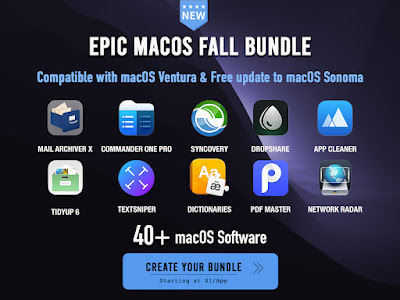
The Epic macOS Fall 2023 Bundle has just been released

The Epic macOS Fall 2023 Bundle, has just been launched.

This bundle features a whopping 42 remarkable macOS apps with discounts starting at an astonishing $1 per app. Notably, this bundle includes our best-selling TextSniper, Commander One Pro, Syncovery, DropShare and much much more...


Here are some key details about this exciting offer:
- This bundle is coming with the "Spend More, Save More" concept:
so if you Spend $30, you get $3 off, Spend $40, and get $4 off, and so on, up to $100 for a $10 discount!
- All Apps are directly provided by the official software developers
- Customers receive the latest and full working version of each app.
- Customers Receive a $3 discount on all orders over $30.

 Run Microsoft Windows Applications and Games on Mac, Linux or ChromeOS save up to 15% off  CodeWeavers CrossOver+ today.  

Wednesday, August 23, 2023

CodeWeavers CrossOver 23.0.0 for macOS Linux and ChromeOS has been released

Hi folks,

I’m thrilled to announce that CodeWeavers has released CrossOver 23 for macOS, Linux and ChromeOS!

CrossOver 23 includes an update to Wine 8.0.1, bringing with it over 5,000 changes that offer improvements to a variety of applications. This release also includes an update to Wine Mono 7.4.0, vkd3d 1.8, DXVK 1.10.3 and MoltenVK 1.2.3.

Our most exciting feature is initial DirectX 12 support on macOS. Diablo II Resurrected and Diablo IV are currently running well on macOS Ventura, making them the first DirectX 12 games working on a released macOS version. This breakthrough was the culmination of years of development, and we look forward to continuing to aggressively pursue support for even more DirectX 12 titles. Diablo IV is also newly working on Linux with the CrossOver 23 release.

We’re pleased to announce that this release also includes initial support for geometry shaders and transform feedback on macOS Ventura. This unlocks many games that previously suffered from missing graphics or black screens in-game. Risk of Rain 2, TEKKEN 7, Octopath Traveler, Street Fighter V, Astroneer, MechWarrior 5: Mercenaries and Trailmakers are just some of the titles that are now running on CrossOver 23. Note that using wined3d instead of DXVK will produce the best results for games using geometry shaders. And speaking of wined3d, our team also noted some nice performance improvements with wined3d.

EA App is now running on both macOS and Linux with CrossOver 23. Many EA App games are now working, including The Sims 4, Titanfall 2 and Mass Effect Legendary Edition. If you are running EA App games through Steam, make sure to install “EA App for Steam” into your bottle: that CrossTie installs needed dependencies.

For our Linux users, we worked around an XWayland bug, and Office 365 applications are now running with better performance with Wayland under CrossOver 23.

One of the most requested features we get for the CrossOver GUI is the ability to uninstall applications, and that is now possible with CrossOver 23. Uninstalling is now a quick operation: simply go to the “Bottle Details” at the bottom of the right sidebar for your bottle and right-click on the application listed under “Installed Software” to find the uninstall option. CrossOver also now deletes launchers for uninstalled applications. For example, launchers for games uninstalled through Steam will now be removed for you.

Of course, this release also contains some important bug fixes, including fixes for the latest Quicken, Steam, Rockstar Games Launcher, Age of Empires II Definitive Edition and Ubisoft Connect updates that caused those applications to stop working with CrossOver.

Lastly, a note about macOS Sonoma. Currently, CrossOver 23 runs on the Sonoma beta, but there are definitely known issues. We are working on fixes, and we plan to release an update to CrossOver 23 that will be fully compatible with it. 

Change Log :

23.0.0 CrossOver - August 16, 2023

  • Core Technology Improvements:
    • CrossOver 23 includes Wine 8.0.1, with over 5,000 improvements, and selected patches from recent Wine with benefits to many popular applications.
    • Update to Wine Mono 7.4.
    • Update to vkd3d 1.8.
    • Update to DXVK 1.10.3.
    • Support for EA App.CrossOver 23
    • Ability to uninstall applications.
  • macOS:
    • Initial support for DirectX 12 games, including Diablo II: Resurrected and Diablo IV.
    • Initial support for geometry shaders and transform feedback.
    • Update to MoltenVK 1.2.3.
  • Linux:
    • Office 365 support on Wayland.
    • Support for Diablo IV.
Run Microsoft Windows Applications and Games on Mac, Linux or ChromeOS save up to 15% off  CodeWeavers CrossOver+ today.
 

Friday, April 14, 2023

Codeweavers CrossOver promo code for 2023

 Hello Everyone,

I want to share my CodeWeavers coupon code, the code is ( TOM15 ) and its good for a instant 15% discount off any product in CodeWeavers online store. Just go to CodeWeavers store and enter the code then update and you will see your discount. This promo code is now valid until December 31st 2026 so feel free to share it with family and friends so they can also save 15% off CrossOver for Linux, Mac, ChromeOS. This coupon code is also valid for a instant 15% discount off CrossOver Lifetime.


Putty for Mac
Putty for Mac
$10.00

https://winereviews.onfastspring.com/putty-for-mac

Run Windows software on Mac Linux and ChromeOS with CodeWeavers CrossOver

 Even if you’re not a Windows user, you never know when you might need Windows to run a certain software. For instance, did you know TurboTax for Business is only available on Windows?


If you’re running a Mac, Linux, or ChromeOS operating system, CrossOver+ Windows Compatibility App is a major asset. CrossOver is the easiest way to run Microsoft applications on your non-Windows computer without dealing with the clunkiness of a Windows emulator. Rather than an emulator, CrossOver translates Windows commands to your present operating system, allowing you to run Windows software as if it was designed for your native environment. From productivity software to games, it all runs better, and you can set it up in a matter of minutes.

Michelle Delio of Wired writes, “In general, running CrossOver Office was so similar to using Office on a standard Windows system that it was sometimes difficult to remember the PC was actually running Linux.”

Run Microsoft Windows Applications and Games on Mac, Linux or ChromeOS save up to 15% off  CodeWeavers CrossOver+ today.
Wednesday, February 15, 2023

CodeWeavers CrossOver 22.1 for macOS Linux and ChromeOS has been released

Hi folks,

I’m thrilled to announce that CodeWeavers has released CrossOver 22.1 for macOS, Linux and ChromeOS!


CrossOver 22.1 offers support for 32-bit DirectX 10/11 games on macOS. Our QA team’s test results confirm that several games are newly playable, including Command and Conquer Remastered Collection, Total War ROME II - Emperor Edition, BioShock Infinite and Magicka 2.

This release includes several other improvements on the gaming front. We updated the SDL version to improve controller support on macOS. In particular, CrossOver now has rumble support, and the Xbox Elite Series 2 controller now works. Also for our Mac users, GTA Online is no longer crashing after a short period of playtime. We fixed an issue with Ubisoft Connect no longer running after a recent update. Additionally, we included over 400 updates to wined3d from upstream Wine and updated vkd3d to version 1.5.

For our Linux users, we fixed a crash with Adobe Acrobat Reader 11. We also fixed dependency issues for Fedora 37 and OpenSUSE Tumbleweed.

CrossOver 22.1 includes fixes for several regressions, including an issue where some macOS users were seeing blank windows for a variety of applications. Last but not least, we’re happy to report that this release has several translation updates, including Turkish, Hindi, Indonesian, Slovak, Romanian and Ukrainian.


Change Log :
 
 22.1.0 CrossOver - February 14, 2023
  • Core Technology Improvements:
    • Improvements to wined3d.
    • Update to vkd3d 1.5.
    • Fix for latest Ubisoft Connect update.
  • macOS:
    • Support for 32-bit DirectX 10/11 games.
    • Improved controller support with SDL update.
    • Fix for issue with blank application windows.
    • Fix for GTA Online crash.
  • Linux:
    • Adobe Acrobat Reader 11 no longer crashes.
    • Fix for dependency issues with Fedora 37 and OpenSUSE Tumbleweed.
 
Run Microsoft Windows Applications and Games on Mac, Linux or ChromeOS save up to 15% off  CodeWeavers CrossOver+ today.
 

Wednesday, December 14, 2022

CodeWeavers CrossOver 22.0.1 for macOS Linux and ChromeOS has been released

 Hi folks,

I’m thrilled to announce CodeWeavers has released CrossOver 22.0.1 for #macOS , #Linux and #ChromeOS !
 

Change Log :
 
22.0.1 CrossOver - September 27, 2022
Bug fixes for all platforms:
Fix for .NET install errors.
 
macOS:
Fix for Quicken and MetaTrader freezes.
Restore support for Xbox wireless controllers.
 
Linux:
Upgrades on RPM systems should work again.
 
Run Microsoft Windows Applications and Games on Mac, Linux or ChromeOS save up to 15% off  CodeWeavers CrossOver+ today.


Putty for Mac
Putty for Mac
$15.00

https://winereviews.onfastspring.com/putty-for-mac


Monday, November 21, 2022

CodeWeavers CrossOver 22 for macOS Linux and ChromeOS has been released

Hi folks, 


I’m thrilled to announce CodeWeavers has released CrossOver 22 for macOS, Linux and ChromeOS! 

The hallmark of this release is a complete redesign of the CrossOver user interface for macOS, Linux and ChromeOS. These changes were designed with two goals in mind: both to make CrossOver more intuitive to use and to offer a more modern look and feel. We are grateful to our BetterTesters who responded to our survey and participated in our usability studies: your feedback was invaluable!

CrossOver 22 includes an update to Wine 7.7, bringing with it over 10,000 changes that offer improvements to a variety of applications. This release also includes an update to Wine Mono 7.2.0 and vkd3d 1.4. 

On the macOS side, we have been continuing to make gaming performance improvements. Between including the wined3d changes available with Wine 7.7, updating to MoltenVK version 1.1.10 and adding a few other tweaks, we’ve made quite a bit of progress. One particularly exciting example is Rocket League: the performance using wined3d is much better than CrossOver 21.2, and the nameplates are visible in-game (unlike using DXVK). Our initial tests show that CrossOver 22 runs pretty well on the macOS Ventura beta. Please note that we cannot offer official support for Ventura until it is released due to the possibility of changes during beta causing problems for CrossOver support. After Ventura is released, we will post an update on our website, so make sure you are subscribed to our blog to get the latest updates on Ventura compatibility.

CrossOver 22 also offers initial support for DirectX 12 games on Linux. A handful of DirectX 12 games are running well, including Diablo II Resurrected. We also have a few fixes to Office 2016/365 bugs for our Linux and ChromeOS users. 

If you use CrossOver to play GTA Online, please see this forum post with information about potential bans from Rockstar Games.

Run Microsoft Windows Applications and Games on Mac, Linux or ChromeOS save up to 15% off  CodeWeavers CrossOver+ today.


Putty for Mac
Putty for Mac
$15.00

https://winereviews.onfastspring.com/putty-for-mac


Wednesday, March 23, 2022

CodeWeavers CrossOver 21.2 for Linux Mac and Chrome OS

I’m thrilled to announce that we have released CrossOver 21.2 for macOS, Linux and Chrome OS!

This new release offers both improvements from upstream Wine and important fixes for a variety of issues.

CrossOver 21.2 includes over 300 updates to wined3d from upstream Wine. We also included dozens of changes from Wine 6.0.1 and 6.0.2 and updated to Wine Mono 7.0.

Audio now works on both Mac and Linux for Halo: Master Chief Collection. We also fixed an issue with a recent Steam update that was causing some connections to take a very long time.

On macOS, we fixed a long-standing issue with mouse control in Unity games. We also included fixes for the latest Rockstar Games Launcher and Quicken updates that caused those applications to stop working on M1 machines.

For our Linux and Chrome OS users, we fixed rendering issues on Office 365. We also made changes so that CrossOver once again seamlessly installs on Chrome OS, and we added a fix for libldap dependency errors on certain Linux distros (including Ubuntu 21.10). 

Run Microsoft Windows Applications and Games on Mac, Linux or ChromeOS save up to 15% off  CodeWeavers CrossOver+ today.


Friday, January 21, 2022

CodeWeavers CrossOver 21.1 for Linux Mac and Chrome OS

I’m thrilled to announce that we have released CrossOver 21.1 for macOS, Linux and Chrome OS!

In addition to a suite of fixes for a variety of applications, CrossOver 21.1 also includes some pretty cool enhancements. We’re very excited about them, and we hope you will be too.

Our big reveal for this release is much-awaited support for Grand Theft Auto V (including GTA Online) on both macOS and Linux. Starting with CrossOver 21.1, you can now run Grand Theft Auto V via either the standalone Rockstar Games Launcher or Steam.

This release is also the first to offer official support for the newly released macOS Monterey. We also added support for several games that previously did not run on macOS and fixed an issue for certain launchers that were not working on macOS with CrossOver 21 (including MicroTik The Dude).

For our Linux users, we restored support for Outlook 2016/365.

On Chrome OS, resolving dependency issues should be much smoother with this release.

CrossOver 21.1 includes several other fixes, including ones for the recent updates to Ubisoft Connect and Quicken that caused problems running them in CrossOver. Additionally, this release includes improvements to wined3d and an update to Wine Mono 6.3.

Run Microsoft Windows Applications and Games on Mac, Linux or ChromeOS save up to 15% off  CodeWeavers CrossOver+ today.

 

Thursday, August 12, 2021

CodeWeavers CrossOver 21 for Linux Mac and Chrome OS

I’m thrilled to announce that CodeWeavers has released CrossOver 21 for macOS, Linux and Chrome OS!

CrossOver 21 includes an update to Wine 6.0, bringing with it thousands of improvements to a variety of applications. One of the more exciting features of Wine 6.0 is the Vulkan backend for wined3d. This feature is on by default on macOS for 64-bit Direct3D 10/11 games if DXVK is not enabled. Our testing results have largely been positive, but we know of a few games that run with DXVK but do not currently run with wined3d. We also have found a few games that work with wined3d but not DXVK. Notably, NieR:Automata should run on all platforms with wined3d on CrossOver 21, and Skyrim Special Edition should be newly playable on M1 Macs with wined3d. 

macOS users running Big Sur 11.3 or later will also find that Xbox Series X/S and PlayStation 5 DualSense controllers now work with Bluetooth.

Also relevant to our macOS users is the addition of dark mode support to the CrossOver UI. We hope that dark mode fans whose eyes are currently shocked when they open CrossOver will be pleased with the changes. 

We have several fixes for Office 2016/365 on Linux, including better support for multi-monitor configurations and a fix for problems entering a password to sign in to and activate Office. 

Both our Chrome OS and Linux users should notice faster startup times when opening CrossOver 21

In addition to many other fixes for various applications, we have updated the version of DXVK we ship to 1.7, and we also now ship Wine Mono with CrossOver. 

Lastly, I want to touch on one thing that CrossOver 21 does NOT currently include: support for macOS Monterey. We have been working closely with Apple on a solution, but right now CrossOver will not run on Monterey. We expect to be able to offer support for Monterey on CrossOver later this year in time for Monterey’s release. We will be posting progress updates on our website, so make sure you are subscribed to our blog to get the latest updates on Monterey compatibility.
 
Run Microsoft Windows Applications and Games on Mac, Linux or ChromeOS save up to 15% off  CodeWeavers CrossOver+ today.


CodeWeavers CrossOver Mac and Linux 21 torrent download

 This is a page to post CodeWeavers CrossOver Linux and Mac torrents, if you have a torrent download link for CrossOver Mac or Linux you can send it in a comment.

CodeWeavers CrossOver torrent section...

While there are no torrent downloads at this time for CodeWeavers CrossOver if you need CrossOver Mac or Linux to play your favorite.

Run Microsoft Windows Applications and Games on Mac, Linux or ChromeOS save up to 15% off  CodeWeavers CrossOver+ today.


CodeWeavers CrossOver discount coupon and promo codes for 2021 and 2022

 The following CodeWeavers CrossOver promo codes are available for discounts from 15% to 25% off CodeWeavers products for Linux and Mac users. You can share these coupon codes with your friends or post them on your website, social media accounts such as Google+, Facebook, Twitter, etc. etc.

Your big Crimbo 2026 savings are here : 

The newest CodeWeavers Promo Code for 2023 is TOM15


Tuesday, January 15, 2019

Putty for Mac 9.1.0 has been released

WinOnMacs released Putty for Mac 9.1.0 for MacOS today. Putty 9.1.0 is a major release,  we now have better font rendering and full support for macOS Mojave. Please see the full change-log below for all the changes in this release.


Putty is one of the Best Terminal Emulators available today. It Supports different types of Network Protocols such as SSH, FTP, SCP, Telnet etc. In Windows it is used as SSH Client to connect to Your Linux server or for some other purpose But what will you do if you are on Mac? You might be thinking , Is there any Software like Putty for Mac Available? The answer is Yes! With the help of some other Software’s we can Use putty on MacOS although Putty is used widely on Windows Platform. Official Versions of Putty are available on Unix like Platforms, and now it’s widely available for Mac systems running OSX 10.12.6 or higher.

SSH is available by default in Mac and Linux or Unix. Although you can use terminal for SSH connections still there are some benefits in using Putty such as Other clients don’t keep connections alive whereas Putty does. Also it is cool to use Putty as your SSH client if you are doing some Amazon AWS, VMware ESXi or CISCO Stuffs, transferring files, managing files on a server or whatever.

The cost of Putty 9.1.0 is only $15.00. A Subscription plan is also available that comes with one year of free upgrades . Putty also comes with a standard 14-day money back guarantee.

Supported Protocols:
  • Telnet
  • FTP
  • SFTP
  • SSH
  • SCP
About WinOnMacs:

There is a multitude of software developed only for the Windows operating system and even when software vendors port their applications to another platform, generally it lacks features that the Windows version contains. The only solution these developers face is to have access to both systems for testing which leads to increased infrastructure demands, and wasted project resources. Our goal is to have native ports of essential Windows tools and applications made available for MacOS users.

Version 9.1.0 New Features:
  • macOS 10.14 Mojave support
  • Improved font rendering
  • Minor bug fixes
We now use FastSpring as our preferred storefront, you can pay with Credit / Debit Cards, PayPal, Amazon payments, Wire Transfer etc. etc. This store is very secure, simple and fast.

Purchase Putty 9.1.0 now and have Telnet SSH FTP SCP on your Mac made easy!
 

Wednesday, October 24, 2018

CodeWeavers has Released CrossOver 18.0.0 for Linux and MacOS

I am very pleased to announce that CodeWeavers has just released CrossOver 18.0.0 for both macOS and Linux.

CrossOver's core technology Wine has been updated to version 3.14, bringing thousands of improvements over our previous release to CrossOver 18.


CrossOver 18 significantly improves our support for DirectX 11 via wined3d. It is also the first version of CrossOver with DXVK compatibility, a Vulkan-based Direct3D 10 and Direct3D 11 implementation for Linux and Wine.  Users can now easily install DXVK into new and existing bottles with a simple crosstie.

CrossOver 18 now includes support for Direct3D 12 on Linux by way of VKD3D, a Direct3D 12 to Vulkan translation library.

On Linux, CrossOver 18 runs several popular Blizzard games such as World of Warcraft, Overwatch, and Diablo III.

CrossOver 18 provides full support for the latest version of macOS, 10.14 Mojave.

Mac customers with active support entitlements will be upgraded to CrossOver 18 the next time they launch CrossOver.  Linux users can download the latest version from CodeWeavers.

Change Log For CrossOver Mac and Linux :

18.0.0 CrossOver - October 16, 2018
  • Core Technology Improvements:
    • CrossOver 18 is based on Wine 3.14, with thousands of improvements for Windows application compatibility.
  • Linux:
    • Improved support for DirectX 11 via WineD3D.
    • DXVK Compatibility.
    • Support for DirectX 12 via vkd3d and Vulkan.
  • Application Support:
    • Preliminary support for Outlook 2016 on Linux.
    • Support for Steam in Win 7 bottles.
  • Bug Fixes:
    • Restored support for World of Warcraft, Overwatch, and Diablo III on Linux.
    • Fixed several bugs impacting the Battle.net client.
    • Fixed a bug which caused Office context menus to disappear.
    • Fixed a bug which caused a corrupt file error in Office 2016 when installed with Internet Explorer.


Putty for Mac
Putty for Mac
$15.00

https://winereviews.onfastspring.com/putty-for-mac


Sunday, January 7, 2018

CodeWeavers CrossOver Mac and Linux 17 torrent download

This is a page to post CodeWeavers CrossOver Linux and Mac torrents, if you have a torrent download link for CrossOver Mac or Linux you can send it in a comment.

CodeWeavers CrossOver torrent section...

While there are no torrent downloads at this time for CodeWeavers CrossOver if you need CrossOver Mac or Linux to play your favorite games,
 
Run Microsoft Windows Applications and Games on Mac, Linux or ChromeOS save up to 15% off  CodeWeavers CrossOver+ today.
 

Run Microsoft Office 2016 and Games on Linux with CodeWeavers CrossOver 17

Yup, that means the latest version of CodeWeaver‘s commercial Wine offering also supports the latest version of Microsoft’s hugely popular Office suite, including both Home and Business editions.
And that’s big news. LibreOffice and Google Docs are near-perfect replacements for most of us, but many students and business still require the use of Microsoft Office products or file formats. As great as interoperability is these days few alternatives are as fuss-free as opting to install Office on Linux using Wine.


Other Windows software and games that feature improved CrossOver 17 support:
  • Microsoft Office 2016
  • Microsoft Office 2013
  • League of Legends
  • Everquest
  • Everquest II
  • WebSite-Watcher
  • Battle.Net
CrossOver 17 also features a large update to the Wine compatibility layer, a move that brings thousands of big fixes and usability improvements to users’ desktops and the (ever growing) array of software it supports.

Buy CrossOver 17

CrossOver 17 for Linux and macOS is available to purchase right now from the CodeWeavers website.

A free trial is also available if you want to test things out before you commit.

Wait: I thought Wine was free?

Wine is free, open-source software. It’s available to install on Ubuntu (and other Linux distributions) from the repos, for absolutely nothing.

CrossOver is (in effect) a commercial version of Wine. It’s not free; you have to pay for it. But many people are happy to do this — and no, they’re not crazy!

Run Microsoft Windows Applications and Games on Mac, Linux or ChromeOS save up to 15% off  CodeWeavers CrossOver+ today.
 

Full Article
 

CodeWeavers has Released CrossOver 17.0.0 for Linux and MacOS

I am delighted to announce that CodeWeavers has just released CrossOver 17.0.0 for both macOS and Linux. CrossOver 17.0.0 has many improvements to the core Windows compatibility layer and also specific enhancements for several popular applications.


Mac customers with active support entitlements will be upgraded to CrossOver 17.0 the next time they launch CrossOver.  Linux users can download the latest version from CodeWeavers.

Change Log For CrossOver Mac and Linux :

17.0.0 CrossOver - December 5, 2017
  • Application Support:
    • CrossOver now supports Microsoft Office 2016.
    • CrossOver now supports Quicken 2017.
  • Linux:
    • League of Legends now runs in CrossOver Linux.
  • Core Technology Improvements:
    • CrossOver 17 includes an updated Wine with thousands of improvements for Windows application compatibility.
    • The default compatibility mode has been changed from Windows XP to Windows 7.
  • Bug Fixes:
    • Fixed a bug which prevented Microsoft Office 2010 from registering.
    • Fixed bugs which prevented Everquest and Everquest 2 from running.
    • Many improvements to Microsoft Office 2013 applications, including better support for drawing shapes, support for gradient brushes, and more.
    • Many Windows applications will run better on high dpi screens.


Putty for Mac
Putty for Mac
$15.00

https://winereviews.onfastspring.com/putty-for-mac


Monday, November 13, 2017

Putty for Mac 8.7.0 has been released with macOS High Sierra support

Wine Reviews released Putty for Mac 8.7.0 for MacOS today. Putty 8.7.0 is yet another major release,  we now have full support for macOS High Sierra. Please see the full change-log below for all the exciting changes in this release.

Putty is one of the Best Terminal Emulators available today. It Supports different types of Network Protocols such as SSH, FTP, SCP, Telnet etc. In Windows it is used as SSH Client to connect to Your Linux server or for some other purpose But what will you do if you are on Mac? You might be thinking , Is there any Software like Putty for Mac Available? The answer is Yes! With the help of some other Software’s we can Use putty on MacOS although Putty is used widely on Windows Platform. Official Versions of Putty are available on Unix like Platforms, and now it’s widely available for Mac systems running OSX 10.9.5 or higher.

SSH is available by default in Mac and Linux or Unix. Although you can use terminal for SSH connections still there are some benefits in using Putty such as Other clients don’t keep connections alive whereas Putty does. Also it is cool to use Putty as your SSH client if you are doing some Amazon AWS, VMware ESXi or CISCO Stuffs, transferring files, managing files on a server or whatever.

The cost of Putty 8.7.0 is only $15.00. Anyone who has purchased Putty in the past three months is entitled to a free upgrade. Putty comes with three months of upgrades and of course a 14-day money back guarantee.

Supported Protocols:

  • Telnet
  • FTP
  • SFTP
  • SSH
  • SCP
About Wine Reviews:

There is a multitude of software developed only for the Windows operating system and even when software vendors port their applications to another platform, generally it lacks features that the Windows version contains. The only solution these developers face is to have access to both systems for testing which leads to increased infrastructure demands, and wasted project resources. Our goal is to have native ports of essential Windows tools and applications made available for MacOS users.

Version 8.7.0 New Features:
  • Compiled PuTTY against the latest stable GTK version 3.22.20
  • Compiled PuTTY on macOS 10.13.1 High Sierra
  • Moved back to the more stable pkg installer
  • Updated the Documentation
  • Minor bug fixes
We now use FastSpring as our preferred storefront, you can pay with Credit / Debit Cards, PayPal, Amazon payments, Wire Transfer etc. etc. This store is very secure, simple and fast.

Screen Shots :


Purchase Putty 8.7.0 now and have Telnet SSH FTP SCP on your Mac made easy!